Travel has changed considerably over the last decade. People no longer leave every part of their digital lives behind when they go on holiday or travel for work. They use smartphones to access boarding passes, check hotel reservations, navigate unfamiliar streets, share photographs, and stay in touch with people at home. Many also carry laptops and tablets, making internet access an important part of the journey.
However, staying connected while travelling can be more complicated than it seems. A hotel may have unreliable WiFi, a café may require a complicated login, and mobile roaming charges can make ordinary browsing expensive. Even a familiar smartphone plan may not provide enough data when someone crosses international borders.
Fortunately, modern travelers have several ways to access the internet outside their homes. From eSIMs and local SIM cards to mobile hotspots and portable routers, there are options for different budgets and travel styles. Understanding how these solutions work makes it easier to choose a setup that provides the right balance of convenience, coverage, and cost.
Why Travelers Need Flexible Internet Access
Internet access supports more than entertainment. It helps people manage practical details before, during, and after a trip.
A traveler arriving in a new city may need to find public transportation, check directions, or contact a hotel. Someone travelling for business may need to join a meeting, review documents, or respond to a client. Families may want to share one connection across several devices, while solo travelers may simply want access to maps and messaging.
Connectivity can also be useful when plans change. A delayed flight, a cancelled reservation, or an unexpected route closure may require quick access to updated information.
Relying on one connection method can create difficulties. Public WiFi may not be available when it is needed, while a phone’s mobile plan may have restrictions outside its home country. Having a suitable backup or portable connection can make a trip easier to manage.
Common Portable Internet Options for Travelers
There is no single internet solution that works best for everyone. Each option has its own strengths, and the right choice depends on destination, trip duration, data usage, and the devices being carried.
International Roaming
International roaming allows a phone to connect to mobile networks outside its home country through agreements between carriers. Its biggest advantage is convenience: travelers can often continue using their existing phone and number without buying another SIM.
The cost, however, can vary significantly. Some mobile plans include international data, while others charge additional fees or offer limited roaming packages. Travelers should check the exact terms before departure, including daily charges, data allowances, and fair-use restrictions.
Roaming may be a good option for short trips when the provider offers a suitable package. It may be less attractive for longer journeys or frequent travel across multiple countries.
Local SIM Cards
Buying a local SIM card is another common way to access mobile data abroad. Local packages can offer useful data allowances and may be competitively priced.
The process usually involves checking that the phone is unlocked and compatible with the local network, purchasing a SIM, and activating the service. Depending on the destination, this may be easy at an airport or mobile shop, but it can take time.
Travelers visiting several countries may need to repeat the process. They may also have to remove their regular SIM card or use a dual-SIM phone. This option can still make sense for people staying in one country for an extended period.
eSIM Plans
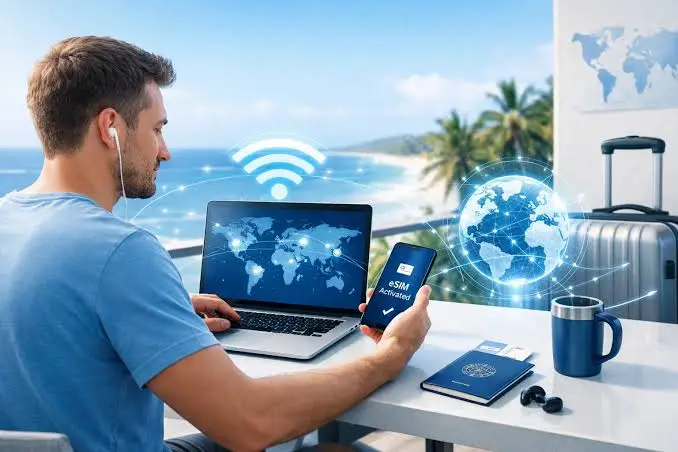
An eSIM is a digital SIM that can be activated on compatible devices without inserting a physical card. Travelers can purchase a data package and install it through a supported app or activation process.
This can make international connectivity more convenient because there is no need to visit a shop or handle a physical SIM card. Some phones allow users to keep their regular SIM active for calls while using an eSIM for mobile data.
There are limitations to consider. Not every phone supports eSIM, and some plans are designed for one device rather than sharing data with a group. Travelers should check device compatibility, supported destinations, hotspot permissions, and the plan’s validity period.
Portable WiFi Hotspots
A portable WiFi hotspot is a separate device that connects to a mobile network and creates a wireless network for nearby devices. Travelers can connect phones, laptops, tablets, and other WiFi-enabled equipment without using a smartphone as the internet source.
This option is particularly useful for people carrying multiple devices or travelling with others. Instead of arranging a separate data connection for every phone, a group can share one hotspot, depending on the device’s connection limit and data plan.
Some travel hotspots use cloud-based SIM technology to access supported local networks without requiring a physical SIM card for each destination. GlocalMe is one provider offering this type of portable connectivity through its CloudSIM technology and travel-focused data options.
How Portable WiFi Fits Into Modern Travel
A portable hotspot can be useful in situations where travelers need a connection beyond a hotel or café. It provides a separate device for internet sharing, which can help keep a smartphone available for other tasks.
Consider a family travelling abroad. Parents may use their phones for navigation and reservations, while children use tablets during long journeys. A shared hotspot can provide one connection for multiple devices rather than requiring every person to arrange a separate data plan.
A remote worker may also benefit from carrying a portable device. If a rental apartment has unreliable internet, a hotspot can provide an alternative when a suitable cellular network is available. It may not replace fixed broadband for every work requirement, but it can be a useful backup.
The same idea applies to road trips, temporary accommodation, and outdoor travel. A dedicated device can be carried between locations and used wherever its supported mobile service is available.
Choosing the Right Device for Your Travel Style
Portable hotspots come in different sizes and capabilities. A traveler should compare practical features rather than choosing a device based only on its advertised maximum speed.
Network Technology
Some hotspots support 4G LTE, while newer models may offer 5G connectivity. A 5G device can be useful for travelers who need higher speeds in destinations with compatible 5G coverage.
However, network technology alone does not determine the experience. Local carrier coverage, signal strength, congestion, and data-plan conditions all matter. A 4G device may be sufficient for email, navigation, browsing, and ordinary video calls.
Before purchasing, check which network bands the device supports and whether those bands are compatible with the destinations on the itinerary.
Battery Life
Battery capacity is important when travelling between locations. A hotspot may be used in airports, on trains, during road trips, or at outdoor destinations where power outlets are not always available.
Compare the manufacturer’s estimated battery life with the length of a typical travel day. Remember that actual usage time can change depending on signal strength, connected devices, screen activity, and network type.
A power bank can provide additional flexibility, but travelers should check that it is suitable for the device and follow airline rules for carrying batteries.
Number of Connected Devices
A solo traveler may only need to connect a phone and laptop. A family or group may need a device that supports several phones, tablets, and computers.
Check the maximum number of simultaneous connections before buying. Also consider how the hotspot will be used. Connecting many devices is not the same as providing unlimited bandwidth. Several users streaming video or downloading large files can put pressure on the available connection.
Size and Portability
A travel hotspot should be easy to carry. Small devices fit into a pocket or travel pouch, while larger models may offer bigger batteries or additional features.
Think about the way the device will be transported. Someone who travels with only a small day bag may prefer a lightweight model. A person travelling by car may be less concerned about size and more interested in battery capacity or device support.
Data Plans and Flexibility
The device is only one part of the cost. Data plans can differ in price, validity, supported countries, and usage limits.
A short city break may require a small package, while a month-long international trip may need a larger allowance. If several people will share the connection, estimate their combined usage rather than planning around one person’s needs.
Flexible packages can be useful for occasional travelers who do not want a long-term subscription. Read the plan conditions carefully so you understand when the data expires and whether additional charges apply.
Understanding CloudSIM Technology
Traditional mobile connectivity often depends on a physical SIM card that identifies a subscriber to a mobile network. When travelling internationally, users may need to purchase a local SIM or arrange roaming through their existing provider.
CloudSIM-based services offer another approach. A compatible device can use a cloud-managed system to access supported partner networks. This can reduce the need to change physical SIM cards when moving between supported destinations.
For travelers, the practical benefit is convenience. They can manage compatible data packages through the provider’s service and use the hotspot to share internet with nearby devices.
GlocalMe uses CloudSIM technology in its portable connectivity products. The available network selection depends on the device, service agreements, destination, and plan. Travelers should always check current coverage and package details before departure rather than assuming that every location has the same service.
Staying Connected During Different Types of Trips
The best setup depends on the purpose of the journey. A business trip, a family holiday, and an outdoor adventure can have very different connectivity needs.
Business Travel
Business travelers may need to access email, shared documents, project platforms, and video meetings throughout the day. Hotel WiFi may be enough for basic tasks, but an alternative connection can be valuable when the network is crowded or unreliable.
A portable hotspot can also help when working from temporary locations such as cafés, transport terminals, or rented offices. Before relying on it for important meetings, test the connection and confirm that the local mobile network provides adequate performance.
For sensitive work, follow company security policies and use approved tools. A personal hotspot offers more control over network access than an open public network, but it does not replace good device security practices.
Family Holidays
Families often travel with several connected devices. Parents may need navigation and booking information, while children use tablets or phones for entertainment.
A shared portable hotspot can reduce the need to buy separate data packages for every device. It can also help keep everyone connected during airport transfers, sightseeing, and road journeys.
The main considerations are data allowance, battery life, and the number of devices supported. Families should also agree on reasonable data use, particularly when streaming video or downloading large files.
Road Trips
Road trips can involve long distances and changing network conditions. A hotspot may help passengers access maps, music, messages, and travel information.
However, cellular coverage can be limited on remote highways and in mountainous areas. Download offline maps and essential details before setting off. The driver should avoid handling devices while the vehicle is moving, leaving setup and connection management to passengers whenever possible.
Camping and Outdoor Adventures
Outdoor travelers may want internet access for weather checks, route information, communication, and occasional remote work. A portable hotspot can be useful at campsites where cellular coverage is available.
Battery life and protection from the elements are especially important. Keep the device dry, store it safely, and carry a suitable charging option. A hotspot should not be treated as an emergency communication guarantee in areas without cellular coverage.
Practical Ways to Reduce Data Usage While Travelling
Data can disappear faster than expected when several devices share one connection. A few simple adjustments can help make a package last longer.
Download music, films, maps, and travel documents before leaving a reliable WiFi network. Disable automatic app updates over mobile data and review cloud backup settings. These tasks can use large amounts of data in the background.
When possible, lower video streaming quality. High-resolution video uses more data than standard definition, and the difference may not matter on a small phone screen. Close apps that are using unnecessary background data and check the hotspot’s data management tools regularly.
If a group shares one connection, let everyone know the available allowance and agree on how it will be used. This can prevent one device from consuming most of the package through automatic downloads or continuous streaming.
Security Tips for Using Internet While Travelling
Travelers often connect to unfamiliar networks, so basic security habits are important.
Use a strong password on personal hotspots and avoid sharing it with people who do not need access. When using public WiFi, verify the network name with the venue and be cautious of unexpected login pages. Keep phones, laptops, and hotspot firmware updated where updates are available.
Enable multi-factor authentication on important accounts and use unique passwords. Avoid leaving devices unattended in public places, and turn off hotspot sharing when it is no longer needed.
A VPN may be useful for certain privacy and security needs, particularly when accessing work resources, but it should be selected carefully and used in line with workplace policies. No single tool removes every online risk.
Prepare Your Connectivity Before Departure
Before choosing a connection, travelers should consider how to have wifi anywhere without depending entirely on hotel networks or public WiFi. Start by listing the destinations and checking the available mobile coverage. Decide which devices need access and estimate how much data the journey may require.
Next, compare roaming, local SIM cards, eSIMs, and portable hotspots. Check whether your phone supports eSIM, whether your hotspot supports the destination’s network bands, and whether the selected data package covers the full travel period.
If you choose a portable device, activate it and test it before leaving. Learn how to connect your devices, check remaining data, and manage the network password. Charge the device and pack the necessary cable or power bank.
Finally, save essential information offline. Hotel addresses, flight details, maps, tickets, and emergency contacts should remain accessible even if the internet connection becomes unavailable.
Making Travel Connectivity Simpler
Modern travelers have more ways to stay connected than ever before. Public WiFi can be useful for occasional access, roaming offers convenience, local SIM cards may suit longer stays, and eSIMs can simplify mobile data on compatible phones. Portable WiFi hotspots provide another option for people who want to share one connection across multiple devices.
The best choice depends on the trip rather than on one universal definition of the best internet service. Consider the destination, network coverage, data requirements, battery life, and total cost before making a decision.
With a little preparation, travelers can spend less time searching for a working network and more time enjoying the journey. A suitable portable internet setup can make it easier to navigate new places, stay in touch, and manage everyday tasks without making connectivity the centre of the trip.
Also Read
- https://grammarthat.com/beyond-bedside-care-finding-your-path-in-advanced-nursing
- https://grammarthat.com/how-to-post-a-travel-map-on-facebook-a-step-by-step-guide-for-2026/
- https://grammarthat.com/how-to-follow-an-audit-trail-from-a-customer-complaint-to-its-root-cause/