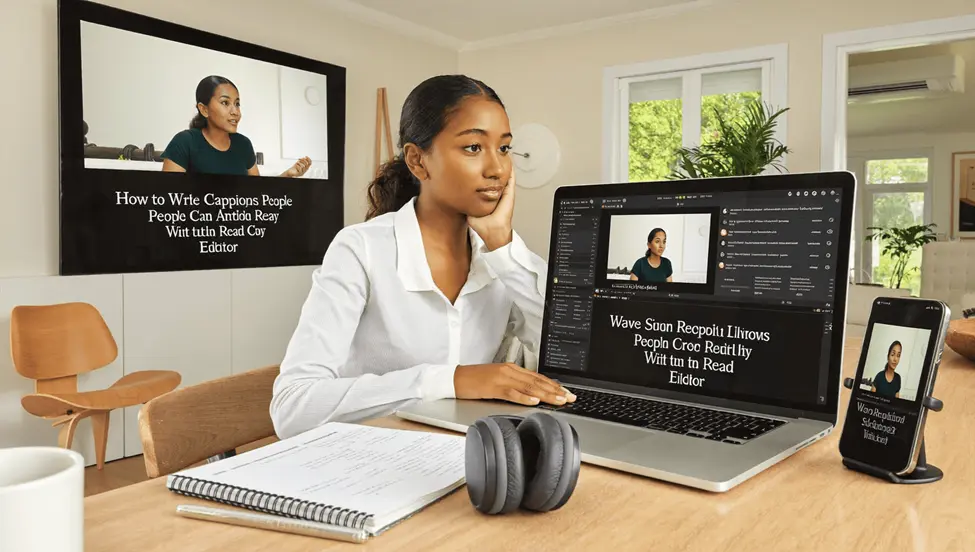
Most captions fail on line breaks, which is a grammar problem rather than a technology problem.
A caption that splits a noun from its article, or strands a preposition at the end of a line, forces the reader to hold an incomplete phrase in mind while the next line arrives. That costs a fraction of a second, repeated every few seconds, across an entire video. People do not consciously notice it and they do stop watching.
Professional subtitlers break lines at syntactic boundaries for exactly this reason. It is the same instinct that governs where you would pause if reading aloud, applied to text that arrives in timed chunks.
An AI Video Editor from Higgsfield generates a caption file in seconds, but it does not know where your clauses end. The editing is where the quality lives.
What Is the Difference Between Captions and Subtitles?
Different audiences, different content, and the terms get used interchangeably when they should not be.
Subtitles assume the viewer can hear but does not understand the language. They carry dialogue and nothing else, because the viewer can hear the door slam.
Captions assume the viewer cannot hear. They carry dialogue plus speaker identification plus relevant non-speech audio, because none of it is otherwise available.
What that means in practice:
- Captions identify who is speaking when it is not visually obvious
- Captions describe meaningful sound, in brackets
- Subtitles translate, and omit sound entirely
- Closed captions can be turned off; open captions are burned into the picture
- An AI Video Editor transcript produces neither until somebody shapes it
The distinction matters because publishing a dialogue-only track and calling it accessible is not accurate. A deaf viewer watching a dialogue-only file misses the phone ringing that everybody else heard.
Decide which you are making. They are different jobs.
How Fast Can People Actually Read Captions?
Slower than most people speak, which is the central constraint.
Broadcast and streaming guidelines generally work to a reading speed in the range of 140 to 180 words per minute for adult content, considerably lower for children’s material. Natural conversational speech frequently exceeds that.
What follows from it:
- Two lines maximum, always, whatever an AI Video Editor produces
- Around 32 to 42 characters per line, depending on the standard
- A minimum display time, so nothing flashes past
- A maximum of roughly six seconds, so nothing lingers
- Editing down, where speech outpaces reading
That last point is the one people resist. When somebody speaks faster than a viewer can read, verbatim captions are unreadable, and condensing is the correct professional response rather than a compromise.
Condense by removing filler and repetition, never by removing content, whatever the AI Video Editor draft contains. False starts, repeated words and hesitations can usually go without losing anything.
Where Should a Line Break Go?
At a syntactic boundary, which is the grammar part.
The principle is that each line should be a readable unit. Where a break has to fall mid-sentence, it should fall where a sentence naturally divides.
Break before:
- A conjunction, so the clause starts the new line
- A preposition, keeping it with its object
- A relative pronoun, so the clause holds together
Never break between:
- An article and its noun
- An adjective and the noun it modifies
- A preposition and its object
- Parts of a verb phrase, including auxiliaries
- A name and its title
The article rule is the most frequently broken and the most jarring. A line ending on the forces the reader to wait for a noun that has not arrived, and the eye registers the gap.
An AI Video Editor breaking lines by character count will produce these errors constantly, because it is counting characters rather than reading structure.
What Do Automatic Captions Get Wrong?
Names, specialist terms, accents and punctuation, consistently.
Automatic speech recognition has improved enormously and still fails in predictable places, which makes reviewing efficient if you know where to look.
- Proper nouns, especially names and places
- Technical vocabulary, in any specialist field
- Homophones, which are grammatically plausible and wrong
- Accented speech, where error rates rise sharply
- Punctuation, which is frequently absent or arbitrary
The homophone problem is the worst because it is invisible to a spell checker. There, their and they’re all pass, and so do your and you’re, and a caption containing one of those errors reads as careless even though nobody typed it.
Read captions as text rather than watching them play. Errors that slide past during playback are obvious on the page, which is why the review happens in an editor and not in the Higgsfield preview.
Keep a list of recurring terms and names so each AI Video Editor pass can be corrected quickly rather than rediscovered.
Should Captions Be Verbatim?
It depends what the video is, and both answers are legitimate.
Verbatim captioning preserves everything, including hesitations, false starts and non-standard grammar. It is correct for interviews, legal material, documentary and anything where how somebody spoke is part of the record.
Clean reading removes filler and tidies syntax. It is correct for scripted content, instructional video and anything where the message matters more than the delivery.
Where to choose each:
- Interviews and documentary, verbatim
- Instructional and corporate, clean read
- Anything evidential, strictly verbatim
- Entertainment, usually clean with character preserved
- An AI Video Editor draft, which defaults to approximate verbatim
The one thing you cannot do is change what somebody said. Tidying a hesitation is clean reading, and altering a word is misquotation, and the line between them is clear once stated.
Never correct somebody’s grammar in captions of their speech. It changes how they are represented.
What About Timing and Synchronization?
Captions should appear slightly before the words and leave slightly after.
- Appear a fraction early, which reads as synchronized
- Hold through the phrase, not word by word
- Change at natural pauses, not mid-clause
- Never lag behind the audio, which is disorienting
- Check an AI Video Editor timing pass against the actual speech
Word-by-word captioning, where text appears one word at a time, is popular on social platforms and genuinely harder to read. It prevents the eye from taking in a phrase and forces serial processing.
Phrase-level display is faster to read and less tiring. Where a platform defaults to word-by-word, that is a styling choice rather than a requirement.
Check the end of each caption. Text that disappears before somebody has finished reading is the most common timing error there is.
Does Formatting Matter?
Considerably, and most of it is legibility rather than style.
- A clear sans-serif face, at reasonable size, set in the AI Video Editor rather than left at default
- High contrast, usually white on a semi-transparent dark box
- Positioned low, clear of important picture content
- Consistent across the piece, with no mid-video changes
- Legible on a phone, which is where most viewing happens
The background box matters more than people expect. White text alone over a bright scene becomes unreadable, and a semi-transparent panel solves it without obscuring much.
Avoid decorative fonts entirely. Caption text is being read quickly under time pressure and anything stylized slows that down.
Test on a phone held at arm’s length. That is the real viewing condition.
How Should Non-Speech Sound Be Handled?
In brackets, briefly, only where it matters.
- Describe sound that carries meaning, which no AI Video Editor transcript includes
- Keep it short, since reading time is finite
- Use consistent formatting throughout
- Identify speakers when they are off screen
- Describe tone where it changes meaning, such as sarcasm
The only-where-it-matters rule prevents the common failure, which is captioning every ambient noise until the reader has no attention left for dialogue.
A door slamming during an argument matters. Traffic outside does not.
Resources on clear writing, like those in a general education section, apply directly here. Captioning is a writing discipline with timing constraints attached.
Are Captions Legally Required?
In many contexts, yes, and the requirements vary by jurisdiction and sector.
Accessibility legislation in numerous countries covers digital content, with public sector bodies and larger organizations typically facing clearer obligations. Broadcast has its own rules again.
- Check what applies in your jurisdiction and sector
- Public sector digital content frequently has explicit requirements
- Education and employment contexts have their own obligations
- Platform policies apply independently of law
- An AI Video Editor draft alone rarely meets a standard without review
Beyond compliance, the practical argument is larger. A substantial majority of social video is watched with the sound off, which means uncaptioned content reaches a fraction of its potential audience regardless of who is deaf.
Captions also generate indexable text, which is the only way the content of a video becomes searchable.
Does Translation Change the Rules?
It does, and a clean caption file is the difference between usable translation and expensive repair.
Translated subtitles inherit every problem in the source. A transcript full of homophone errors and broken lines produces a translation that compounds all of them, since the translator is working from the text rather than the audio.
What to do before translating anything:
- Correct the source completely, including names and terms
- Supply a glossary of proper nouns and specialist vocabulary
- Expect length changes, since languages expand and contract differently
- Rebreak lines for each language, not once for all of them
- Export a clean AI Video Editor file rather than a raw transcript
The length point is the practical one. German commonly runs longer than English, and a line length that fits comfortably in the source overflows in translation, which forces either a third line or a cut.
Leave headroom in the source timing where you know a translation is coming. A caption running the full six seconds has nowhere to go.
Machine translation of a clean file is genuinely usable for many purposes and considerably better than machine translation of a messy one. The correction work pays for itself across every language.
How Should a Caption Workflow Run?
Draft automatically, edit as writing, check as video.
- Generate the draft in an AI Video Editor
- Read it as a document, correcting names and homophones
- Fix the line breaks at syntactic boundaries
- Check reading speed and condense where needed
- Watch it through at normal speed
- Keep the Higgsfield caption file for reuse and translation
The read-as-a-document step is the one that catches the most. Errors hide while video plays and are obvious in a text editor.
Keeping the corrected file matters for anything that will be translated, since a clean source produces far better translation than a raw transcript.
Store the Higgsfield file alongside the video rather than only inside the platform. Platforms change and files outlive them.
What Would Captioning One Video Take?
Twenty minutes for a ten minute piece, once the habit exists.
- Generate the AI Video Editor transcript
- Read and correct it as text
- Rebreak the lines where they split phrases
- Adjust timing at the start and end of each caption
- Watch once, muted, as a viewer would
- Export and keep the Higgsfield file permanently
Then check the Higgsfield output on a phone before publishing.
The line rebreaking is the slowest part and the one that separates captions people read from captions people switch off.
FAQ’s
What is the difference between captions and subtitles?
Subtitles assume you can hear and translate dialogue. Captions assume you cannot and include speaker identification and meaningful sound.
How fast can captions be read?
Broadly 140 to 180 words per minute for adults, which is slower than many people speak. Condensing is correct rather than a compromise.
Where should lines break?
At syntactic boundaries. Never between an article and its noun, a preposition and its object, or parts of a verb phrase.
What do automatic captions get wrong?
Names, specialist terms, homophones and accented speech. Homophones are the worst because they are grammatically plausible.
Should captions be verbatim?
Verbatim for interviews and anything evidential. Clean reading for instructional content. Never alter what somebody actually said.
Is there a free way to try this?
Higgsfield operates a free tier as part of an AI creative suite, which covers drafting and correcting captions for a video.
Conclusion
Captioning is a writing job with a clock attached, and the part that fails is almost always the part that is about language rather than software.
An AI Video Editor produces the draft in seconds, which removes the tedious half, and Higgsfield runs it in a browser.
Break at the clause, keep the article with its noun, read it as text before you watch it, and check it on a phone. The twenty minutes is what makes the difference between captions and a transcript.
Also Read
- Innate vs. Enate Homophones: Spelling & Definition
- NSFW Meaning in Text: Usage, Examples & More
- Inclosed vs Enclosed: What’s the Real Difference?