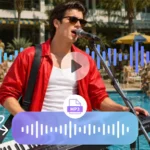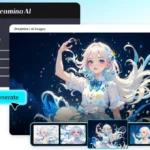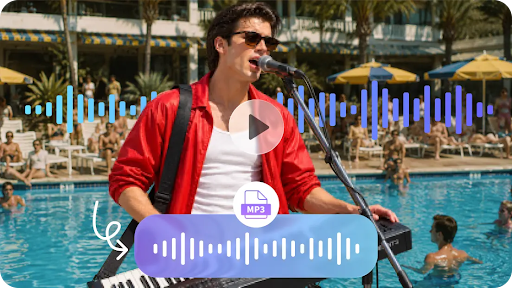
Seedaudio 1.5 is part of an effort by Dreamina to provide creators with an easier way to experience creative tools based on AI. Good sound isn’t easy to produce, and creating the sound takes time and creativity. If you’re trying to produce background sound, voice-overs, or sound effects and can’t get the sound you want in your online video, then you need to ensure that you’re using the right tools so you can produce good sound. Over the years, the tools to help creators turn their ideas into sound have required creators to stay up-to-date on all the latest skills in music production. Dreamina’s Seed Audio 1.5 is built for those who aren’t the most up-to-date on music production skills.
What Is SeedAudio 1.5?
SeedAudio 1.5 is a model that can create sound scenes. While other AI audio generators only create voice recordings or music tracks, SeedAudio can generate a combination of different audio elements, including conversations, background music, ambient sounds, and sound effects. This makes the generated audio sound more natural and connected.
Create Complete Sound Scenes
Users can record a normal voice, which will convey the words spoken. It may not convey the atmosphere of being in a certain place. Users can add background sounds to help with this. With SeedAudio 1.5, you can combine dialogue, music, ambience, and sound effects into one creative process.
Build a More Consistent Creative Workflow
The first version of the project is created. The creator may write a script for the project that shows who said what, important sound effects to make, and the atmosphere that the creator should create for the background. The audience should be clear about what they must hear and how the creator should communicate this with sound and the background. The creator reviews his creation and looks for areas that may need improving.
Check Availability Before Starting a Project
The full features list in the published specification is the features list SeedAudio 1.5 is expected to have and will have. For example, not all workspaces may have access to SeedAudio 1.5 yet. Before starting to build your production out of a new tool, it’s a good idea to ensure you have access to the features you need.
Make Advertising Audio More Engaging
An advertisement can be made more memorable if there are some sounds incorporated into the video clip. Small businesses and content creators can take advantage of this opportunity and try out different sound styles for their videos. For promotional videos to be interesting to the viewers, the video should contain an easy-to-understand message and a memorable sound effect. The ad’s voice and background music should be appropriate and not overwhelm the audience with too many audio clips.
Write Better Prompts for Stronger Results
The more detailed your prompt is, the better result the AI model can achieve. For example, if you use “make exciting audio”, the result will be very broad, but if you say “make exciting audio while people are having a conversation at a cafe, describing the emotions of everyone speaking and the background atmosphere, and then have them go to a park and have a picnic with a specific sound event happening”, it will be much clearer what the result should be. You can also put in your prompt when certain things should be started. For example, with a sound event, you know if there should be music or if it is only a sound event. You can also try running your same prompt multiple times and then see which result is the best.
Final Thoughts
Software creators at SeedAudio say that their new version 1.5 brings improvements to the AI audio generation software, such as the ability to have longer generations, use multiple references for a given voice, be video-aware, and separate tracks. This allows the program to make dialogue, music, ambience, and sound effects work together in one workflow. The creators say that the best results will come from clearly defining your instructions and editing carefully, which can make the program useful for filmmakers, podcasters, game creators, and more. SeedAudio 1.5 seems to be an interesting approach to AI audio production, and something creators should check out.
Frequently Asked Questions
Can I use SeedAudio 1.5 for video dubbing?
All these video-aware generation functionalities can be used to generate dialogues and supporting sounds based on a given video.
Can I use reference recordings?
Yes. The model can accommodate up to six audio references to aid in your voice and sound direction.
Is SeedAudio 1.5 useful for beginners?
The program may be useful for beginners, as they can communicate their ideas with audio using just text prompts and not have to painstakingly produce every sound heard in the final song. Nevertheless, these users should always double-check the audio output from the program.
Reda more: https://grammarthat.com/traditional-banks-vs-fintech-how-to-find-fast-funding-for-your-business/
https://grammarthat.com/respond-to-trends-before-they-fade-inside-dreaminas-marketing-studio/
https://grammarthat.com/5-companies-that-help-build-a-more-complete-oral-health-plan/